
Know who's paid. Chase who hasn't. See the whole yard at once.
Storage Yard Manager replaces the spreadsheet, the diary and the shoebox of notes. It's made for the laptop, PC or tablet in the yard office — your yard as a colour-coded map, everyone who's late on one screen, insurance dates that warn you — and it comes with you on your phone when you're out on the plots.
£39 a month per yard 30 days free · no card needed
Founding offer: the first ten businesses pay £29 a month for their first 12 paid months. How it works
The demo is a real account full of invented customers. No signup, no email address.
- Made for your laptop, PC or tablet
- On your phone too, out in the yard
- Everyone who's late, worst first
- Insurance warnings before cover lapses
Your whole yard, on the screen in the office.
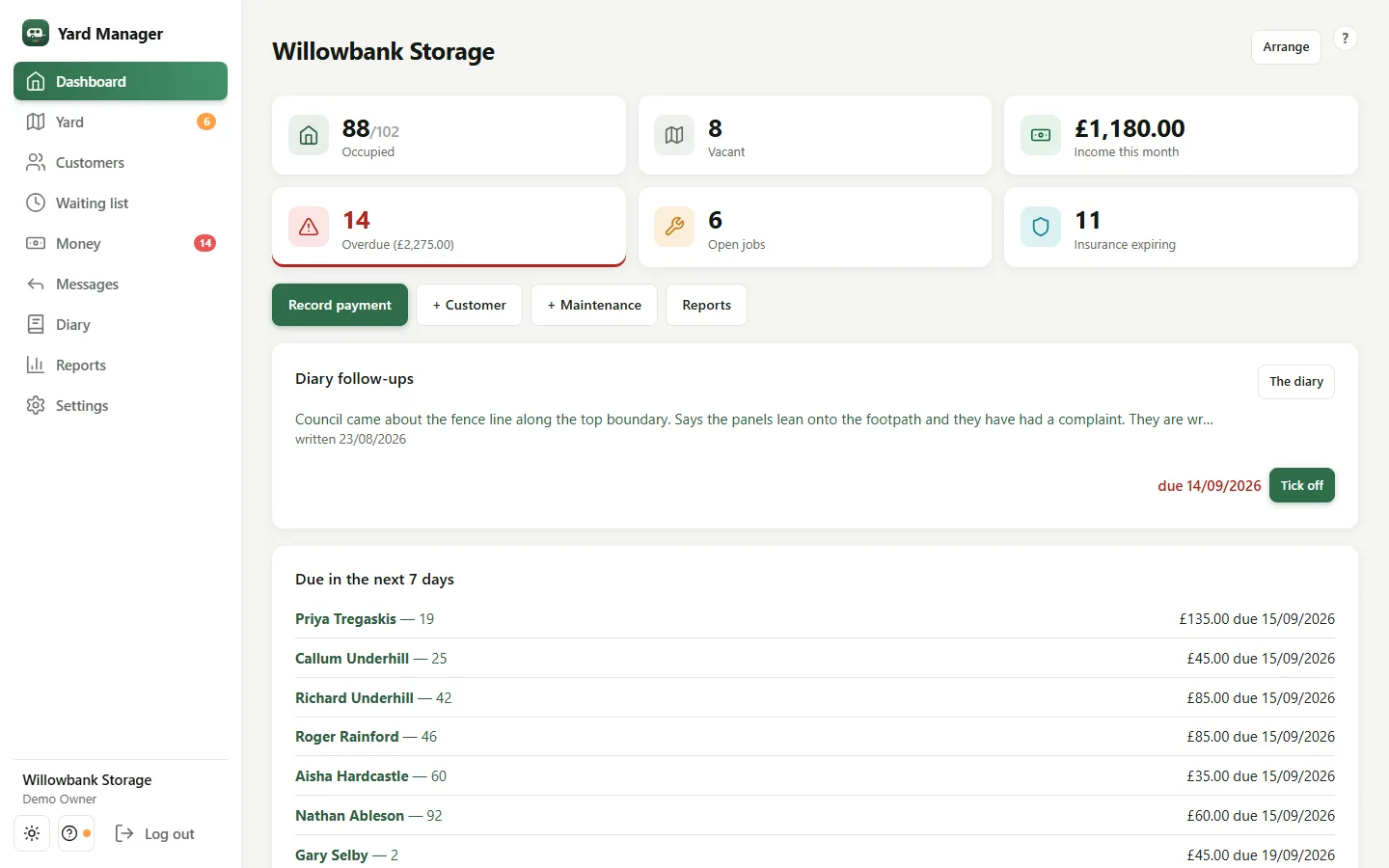
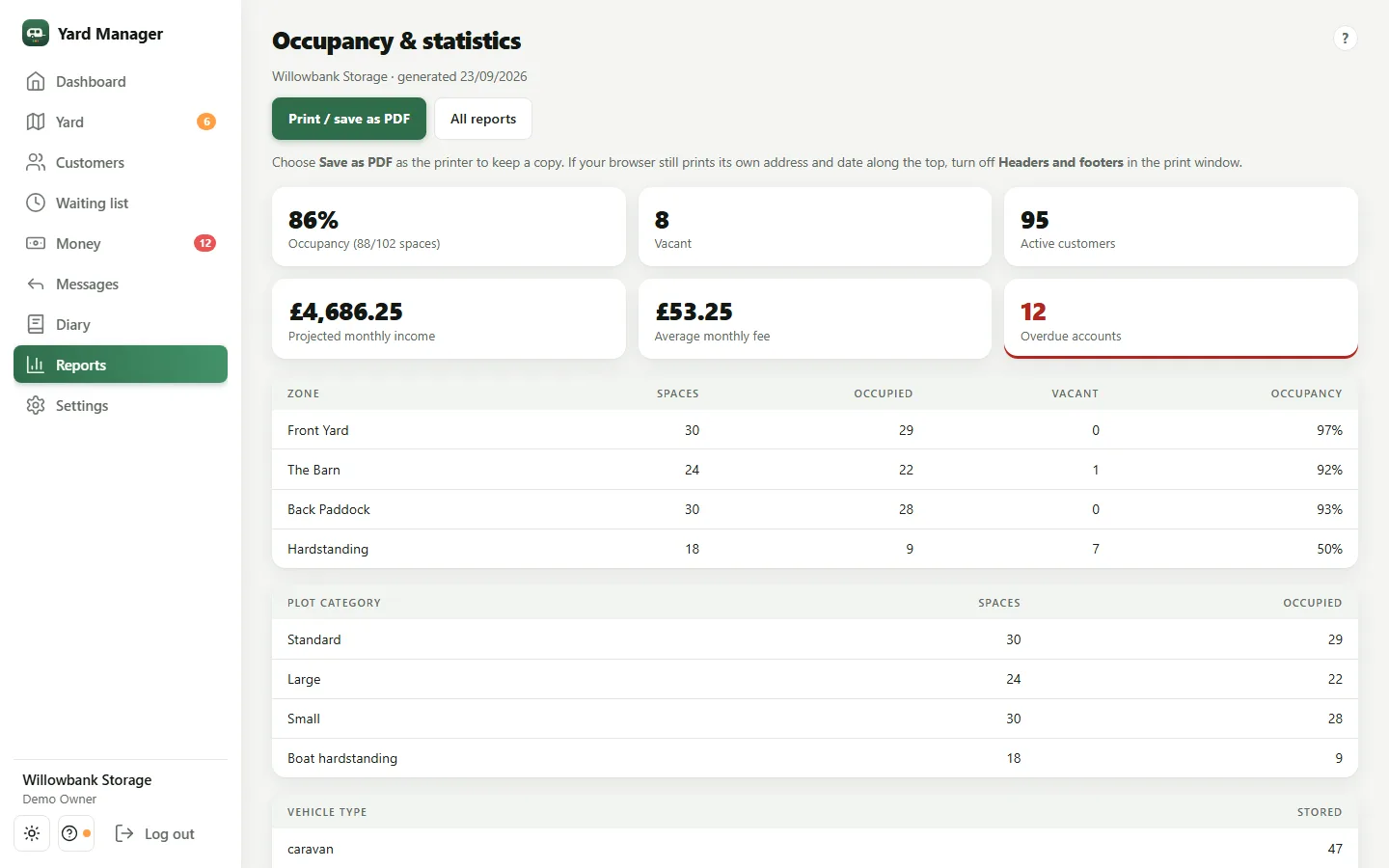
These are real screens from the demo yard, on a laptop. Nothing is mocked up, and it looks the same on a PC or a tablet.
-
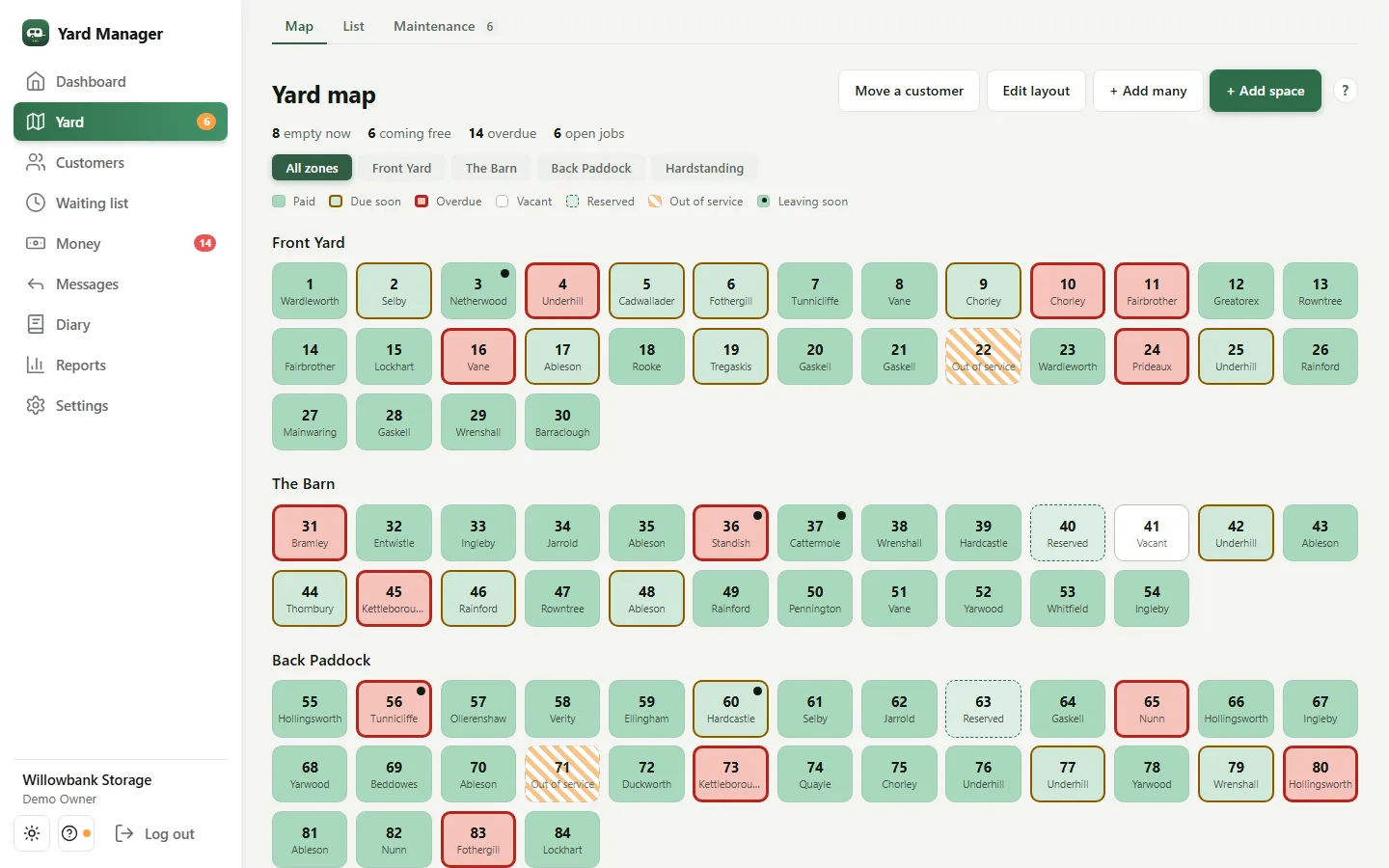
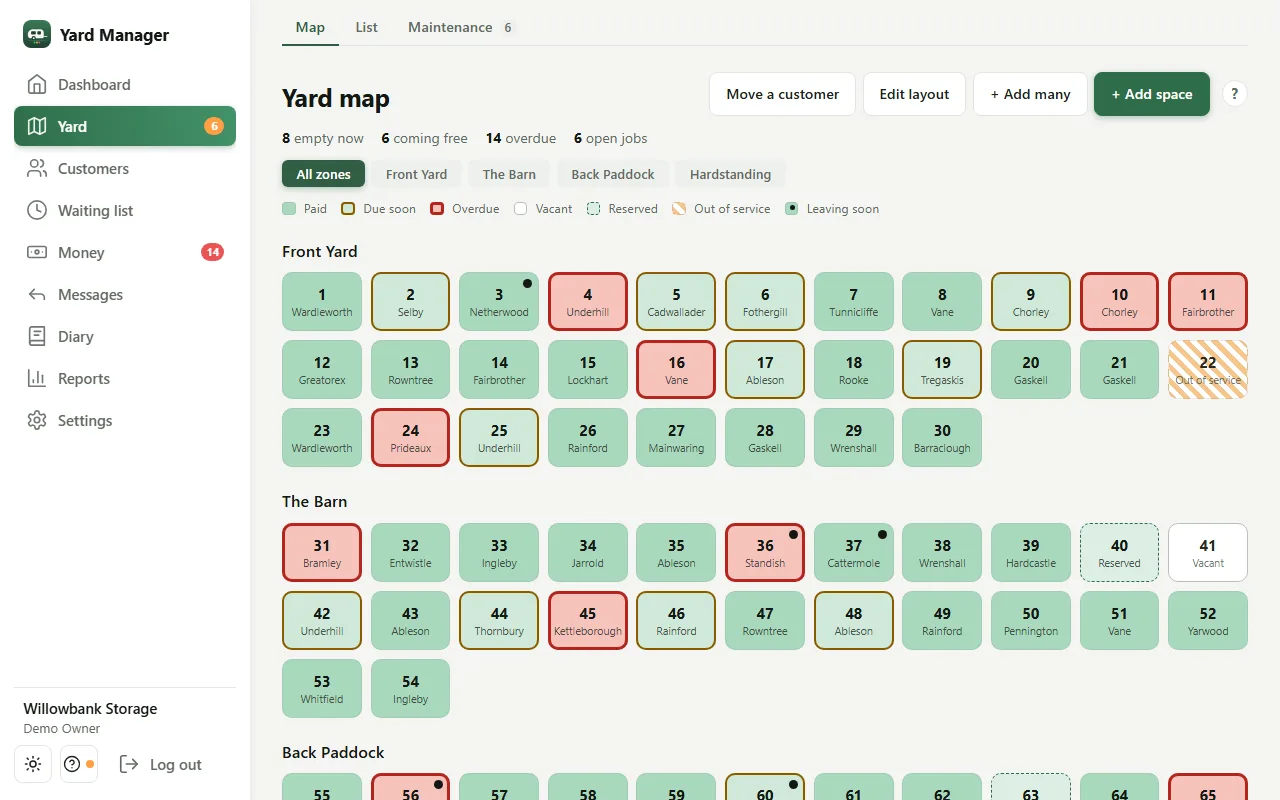
See the whole yard at a glance
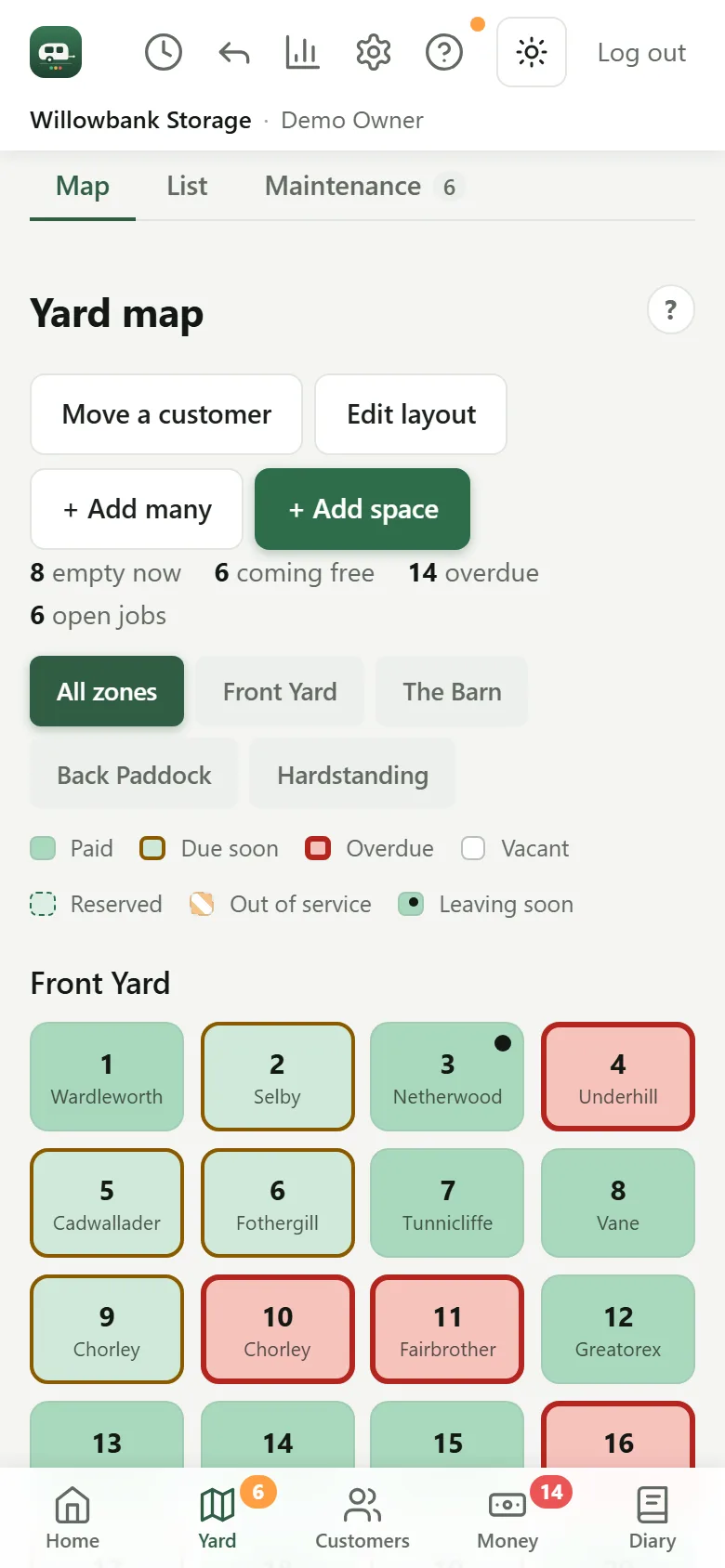
Every plot on one map, laid out in your own zones: green is paid, amber is due soon, red is overdue, and empty, reserved and out-of-service plots are marked. Click a plot to see who's in it.
- Plots about to come free are flagged before they do
- Move a customer to another plot without re-typing anything
-
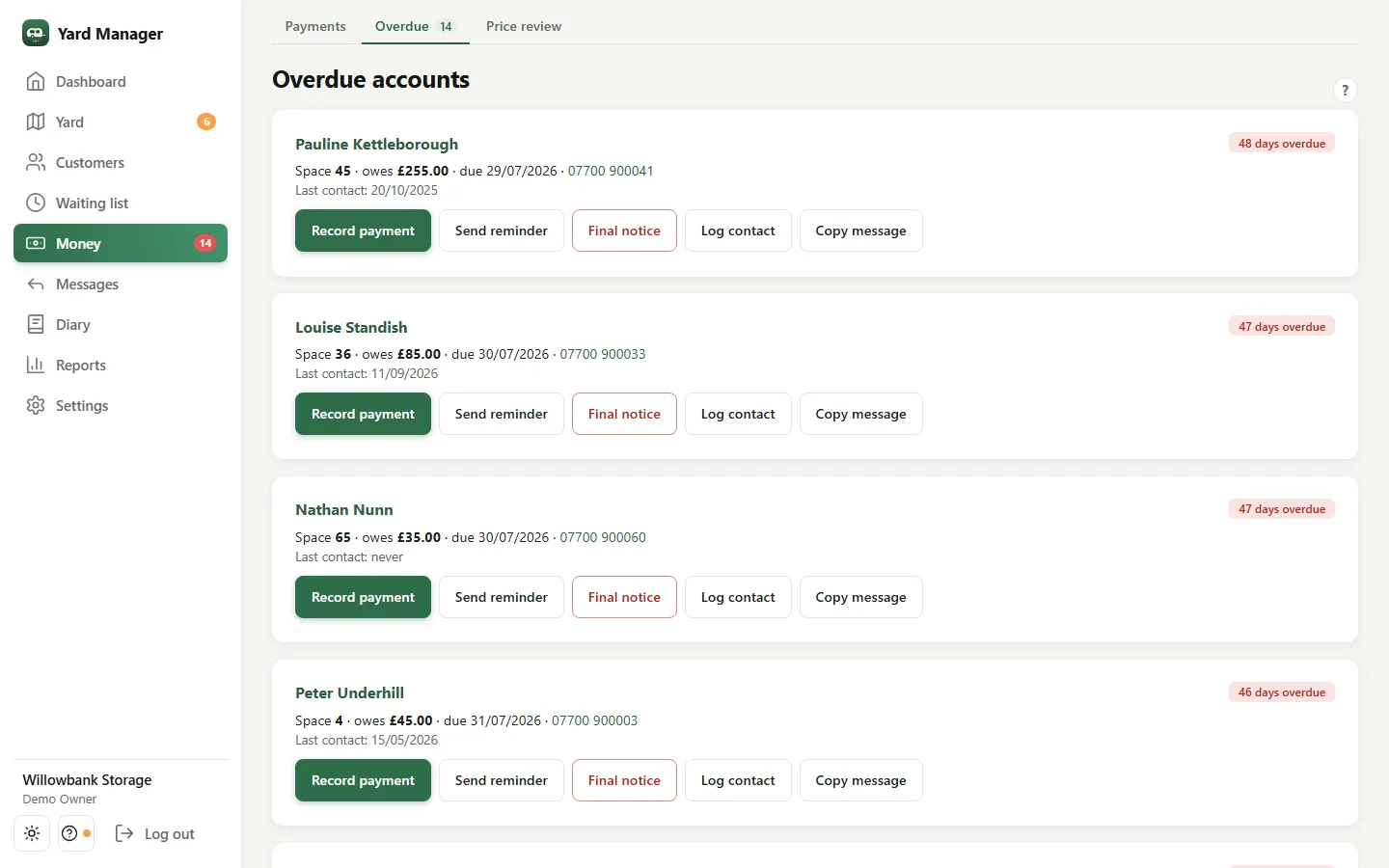
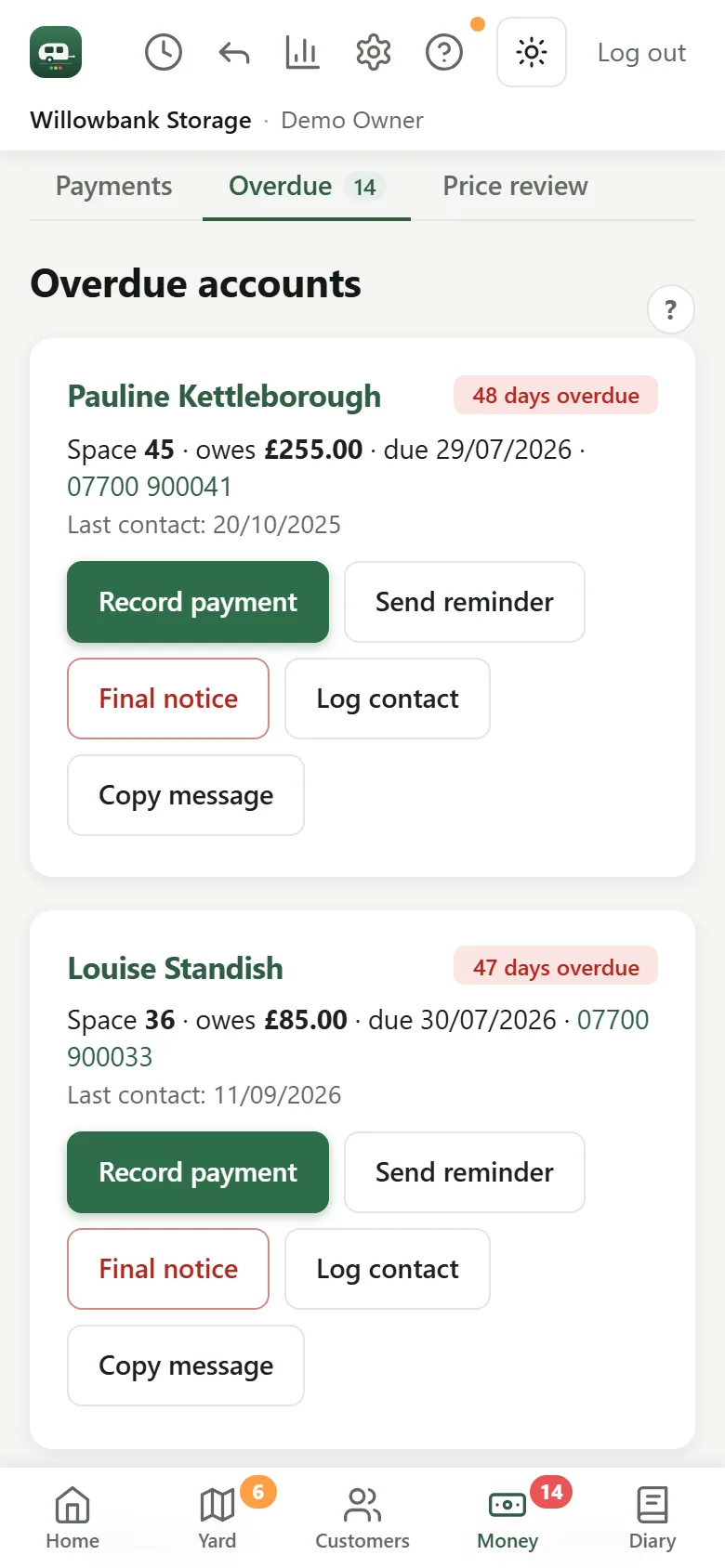
Chase who's late in a couple of clicks
One list of everyone past their due date, with how late they are and what they owe. Send reminder opens the email already written, in your own mail program, and notes on their record that you chased — so nobody gets asked twice by accident.
- A firmer final notice for the ones who ignore the first
- Copy the message into a text or WhatsApp instead
- Record the payment from the same screen when it arrives
-
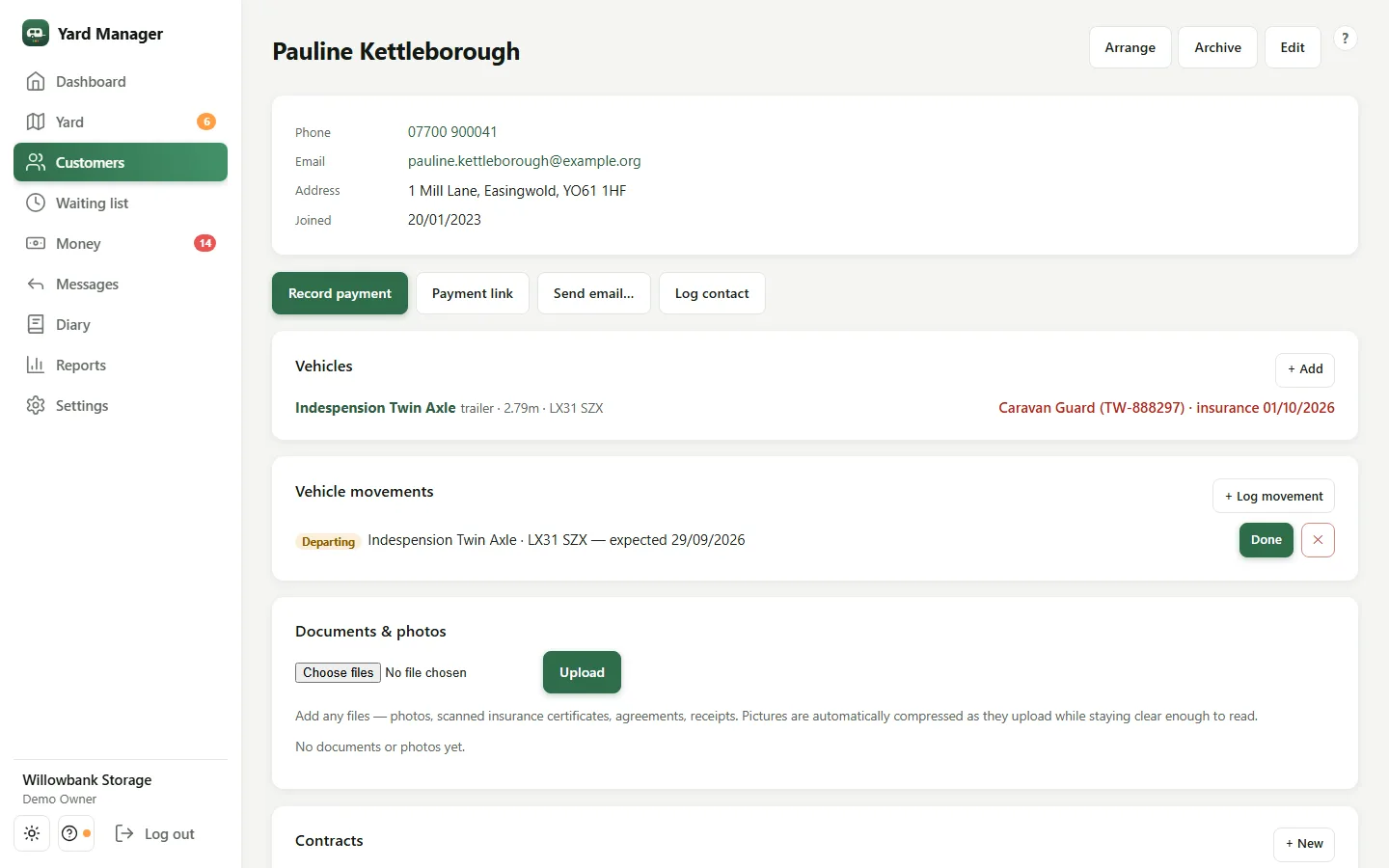
Everything about a customer, in one place
Contact details, their caravan, motorhome, boat or trailer — with its length, registration, insurer and insurance date — plus their agreement, payments, documents and every movement in and out of the yard.
- Send a payment link, or set up a Direct Debit if you've connected GoCardless
- Storage agreements they sign on their own phone
-
Let it nag you, not the other way round
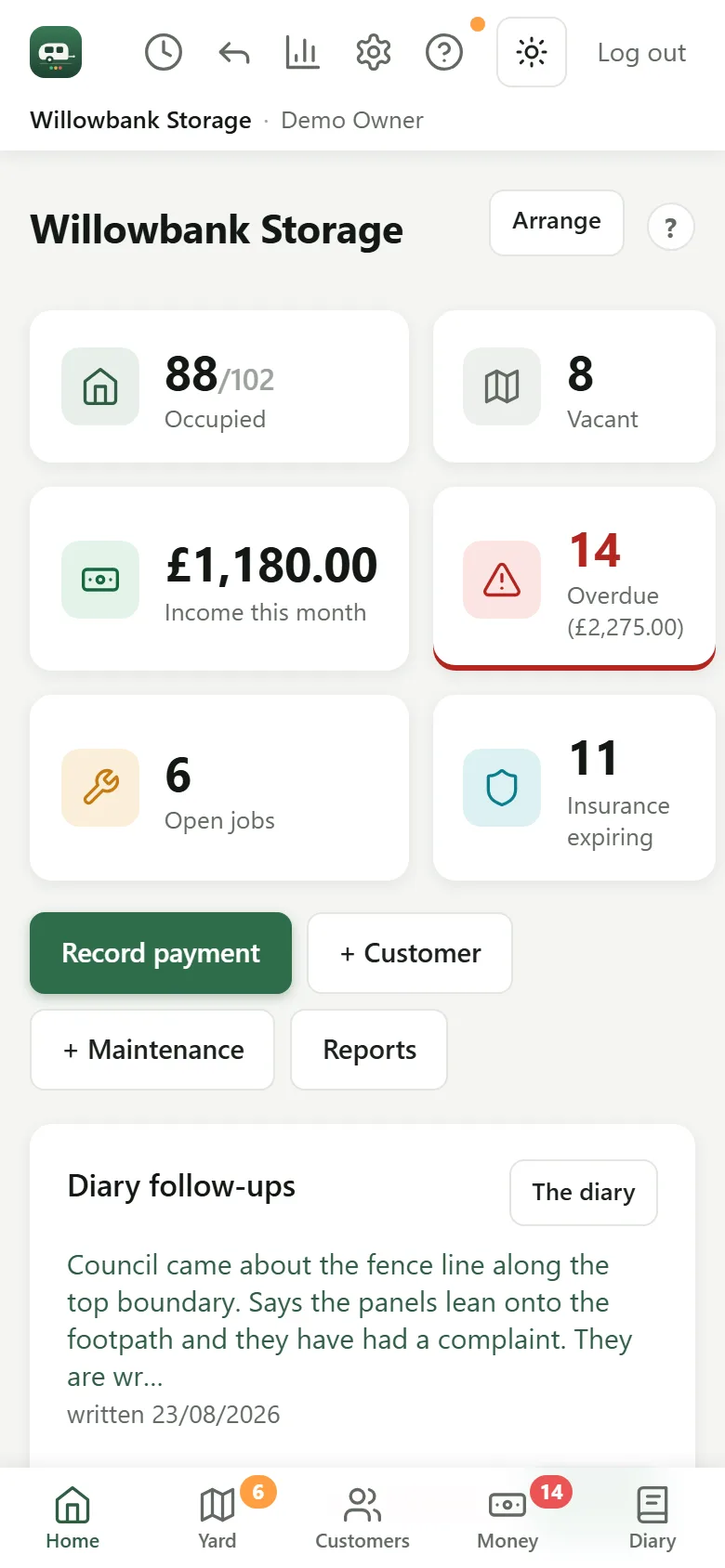
Open it in the morning and the dashboard has already worked out what needs you: who's overdue and by how much, whose insurance is running out, what's due in the next week, open maintenance jobs and the follow-ups you promised yourself in the diary.
Made for a proper screen.
The jobs that want a keyboard and room to see — reports, a price review, getting the books ready for your accountant — are all there, laid out for a laptop or PC.
- Reports on income, occupancy and who owes what, printable or saved as PDF
- Exports your bookkeeper can bring into Xero or QuickBooks
- A price review across the yard, with the emails telling customers written for you
- Up to five logins, with settings, billing and exports kept to owners and admins
On a tablet, and on your phone as an extra.
A tablet gets the same full layout as a laptop, on the office desk or carried round the yard. And the same account is on your phone for when you're out on the plots — check who's in a plot, record a payment at the gate, or log a broken fence with a photo.
Made for a storage yard, not a warehouse.
Every feature is in every yard. The ones marked optional use an account of your own with another provider, and stay off until you switch them on.
Payments and receipts
Record cash, transfer or card in seconds. Printable receipts and invoices, and monthly income at a glance.
Direct Debit and cards Optional
Connect your own GoCardless or Stripe. A cleared Direct Debit updates the customer's record by itself, and rent can collect on the day it falls due.
Reminders that send themselves
Switch them on and it nudges before rent is due and again when it's late — by email, or by text if you connect your own Twilio. The same reminder is never sent twice.
Insurance expiry tracking
Every vehicle's insurance date in one place, on the dashboard when it's within 30 days, with reminders to the owner before and after it lapses.
Agreements signed on a phone
Send your storage agreement as a link. The customer reads it and signs on their phone — no printer, no post. The signed copy lives on their record.
Maintenance with photos
Standing at a broken fence? Log it against the plot, add a photo, set a reminder. Open jobs stay on the dashboard until they're done.
A diary for the yard
What the council said, when the gate code changed, who promised to move their boat by Friday. Tie a note to a customer or a plot, and give it a follow-up date.
A waiting list that matches
Keep the people wanting a plot. When one comes free, it suggests who on the list it suits.
A portal for your customers Optional
No passwords: they get a sign-in link by email, then see what's due, pay it and send you their insurance certificate. Off until you turn it on.
A message to the whole yard
The gate code changes on Monday? Email or text every customer, just the current occupants, or everyone who's overdue, in one go. Marketing messages get an unsubscribe link automatically.
Your team, with roles
Up to five logins. Staff get the day-to-day screens; a supervisor can also write to the whole yard; settings, billing, backups and exports stay with owners and admins.
It's your data
Backed up every night. Download spreadsheets and a full backup from Settings whenever you like — and still, if you stop paying.

Built for a real storage yard.
Mario Szlapa
I built Storage Yard Manager for a family-run caravan storage business that was getting by on a limited custom system and a spreadsheet alongside it. It has run that yard ever since, and nearly everything in it started as a problem that yard actually hit.
I build it, I support it, and if you email, you get me — not a ticket queue.
Storage Yard Manager is a product of Property Workflow Systems Ltd. hello@storageyardmanager.co.uk
One price per yard. Everything included.
Try it free for 30 days — no card, nothing to cancel. No tiers, no add-ons, no limit on plots or customers.
Founding offer
£29 a month per yard
For your first 12 paid months, then £39 a month. The free trial doesn't count towards the 12.
Start freeIs a founding place still open? Availability is confirmed at checkout, so you see your price before you pay anything. See everything that's included.
What yard owners ask first.
Do I need to give a card to try it?
No. You get 30 days with everything switched on and no card. If you don't subscribe, your yard goes read-only — nothing is deleted, and you can still download it all.
Is my data safe? Where is it kept?
Each yard has its own private web address, and every record is kept to that yard. It's backed up every night, and you can download spreadsheets and a full backup from Settings. The database and files are held in Western Europe — the privacy policy has the detail.
What do I need to run it?
A laptop, PC, Mac or tablet with a web browser — there's nothing to install. It's designed for a proper screen in the office, and the same account works on your phone for when you're out in the yard; add it to your phone's home screen and it opens like an app. It needs an internet connection to save anything.
Do my customers have to do anything?
No. Out of the box it's a tool for you and your staff; customers just get well-timed emails from your yard. The customer portal and payment links are there if you want them, and off until you turn them on.
I store boats, trailers and motorhomes, not just caravans.
So does the demo yard. Each vehicle is recorded as a caravan, motorhome, boat, trailer or something else, with its length, registration and insurance, and plots, customers and money work the same way whatever is parked on them.
I run two yards. Two subscriptions?
Yes — each yard gets its own subscription and its own private address, so the books stay separate.
What happens if I cancel?
You keep using it until the end of the month you've paid for. Then your yard goes read-only so you can still export your records, and you can ask us to close the account and delete its data. No lock-in, no cancellation fee.
Have a proper look round before you decide anything.
30 days free. No card. Your yard gets its own address in under a minute.
Not ready yet? Email hello@storageyardmanager.co.uk and a human replies.